Quick Overview
Until now, SweetPilot was something you used in the dashboard. With API Management it is also something you can call from your own code. You create an API key in Settings, send requests to the public surface at /api/v1, and get an AI employee's answer back as JSON or as a stream. This post describes what the API does today: the endpoints, how keys and permissions work, the IP allowlist, rate limits, safe retries with idempotency keys, and the analytics you get for every key. It also says plainly what the API does not do yet.
What the API Does Today
The public API is small on purpose. These are the endpoints:
GET /api/v1/healthchecks that the API is reachableGET /api/v1/employeeslists the AI employees with their id, name, role, and descriptionPOST /api/v1/employees/{id}/chatsends a message to one employee and returns the replyPOST /api/v1/employees/{id}/chat-with-filedoes the same with a file attachedPOST /api/v1/brain/askasks a question that is answered from your Brain AI knowledge baseGET /api/v1/workflowslists your Canvas workflowsPOST /api/v1/workflows/{id}/runstarts a Canvas workflow, for 3 credits a runGET /api/v1/workflows/{id}/runs/{runId}tells you how a run ended
API chat is stateless. Each request stands on its own and nothing is saved to your dashboard conversations, so if you want a multi turn exchange you send the earlier messages with each request. Actions in connected accounts, such as sending an email from Gmail, are part of the dashboard chat and its approval step; they are not available through the API.
API Keys
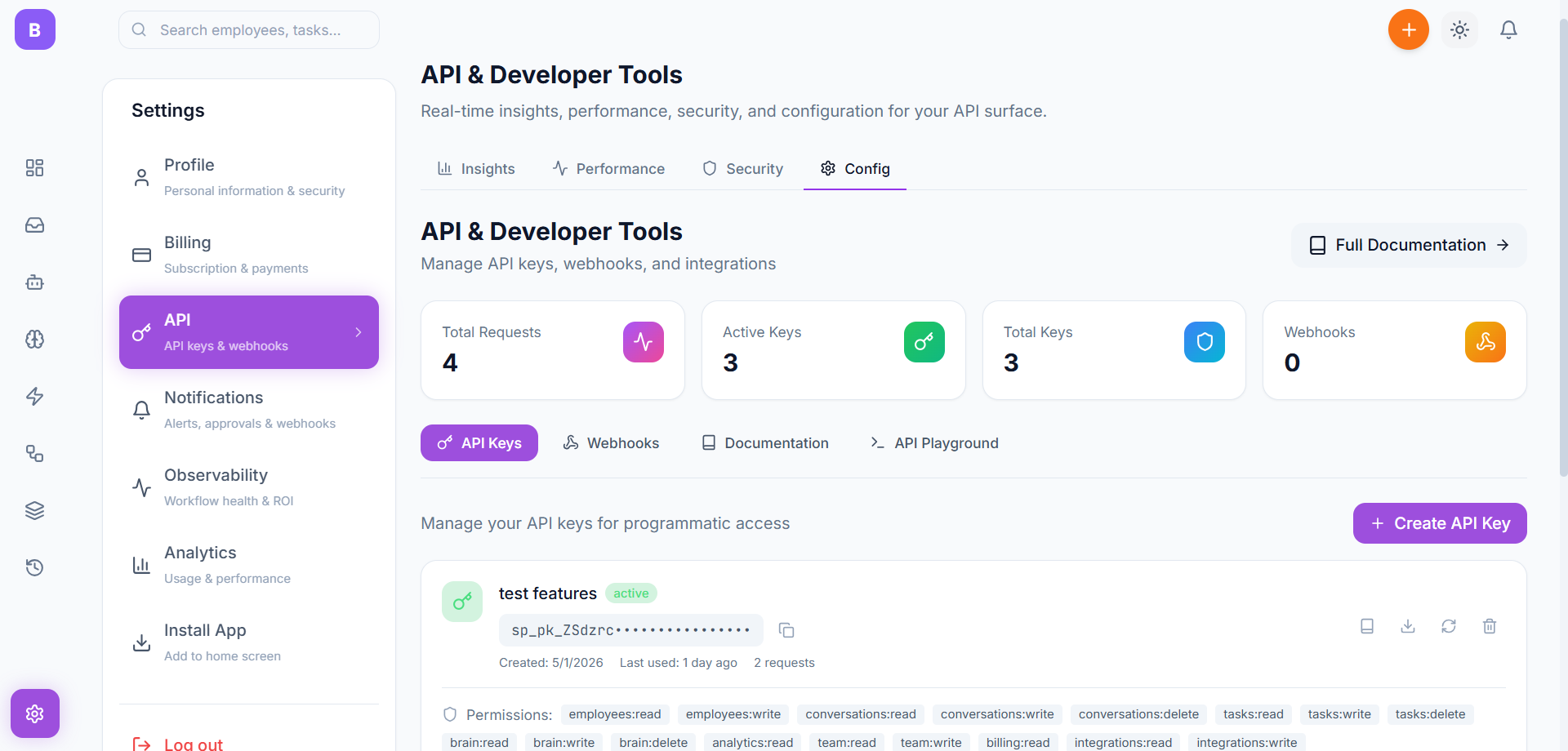
Go to Settings, open the API tab, and create a key under Config. Name it (something like "Production Server" or "Local Dev"), pick the permissions it needs, and optionally set an expiry of 30 to 365 days. Keys start with sp_pk_. The full key is shown exactly once, so copy it somewhere safe; SweetPilot stores only a hash of it.
You can create as many keys as you need. Most teams create one per service and one per environment. If a key leaks, regenerate it or delete it, and the old value stops working immediately.
There is no separate test mode. A key used from your development machine does real AI work and uses credits the same way a production key does.
Permissions
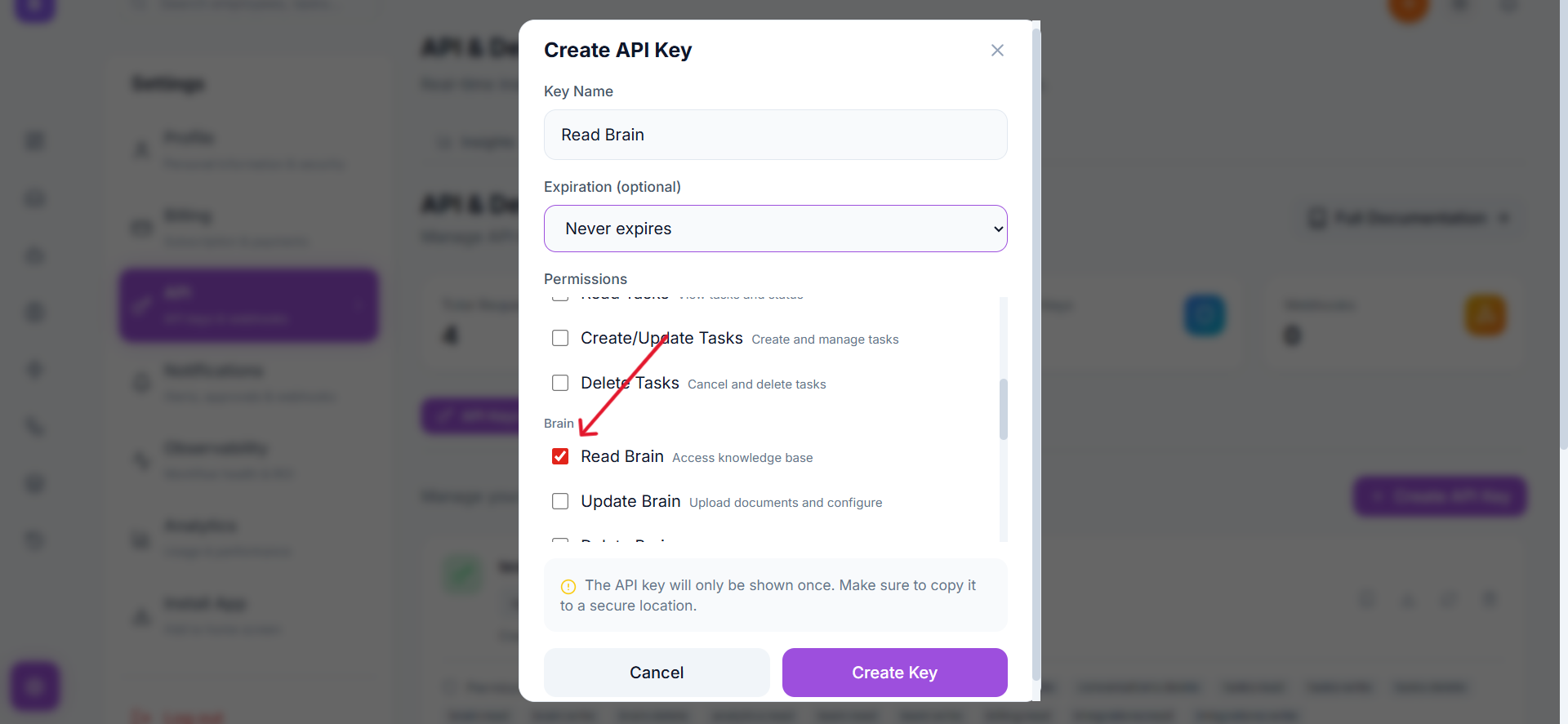
Every API key carries a list of explicit permissions, chosen when the key is created:
employees:readto list employeesconversations:writeto chat with an employeebrain:readto ask your Brain AI a questionworkflows:readto list workflows and check a runworkflows:writeto start a workflow
If a key calls an endpoint it has no permission for, the response is a 403 with a message naming the exact permission it is missing. No silent failures, no mystery debugging. Give each key only what its job needs: a key for a public facing widget should be able to chat and nothing else.
IP Allowlists
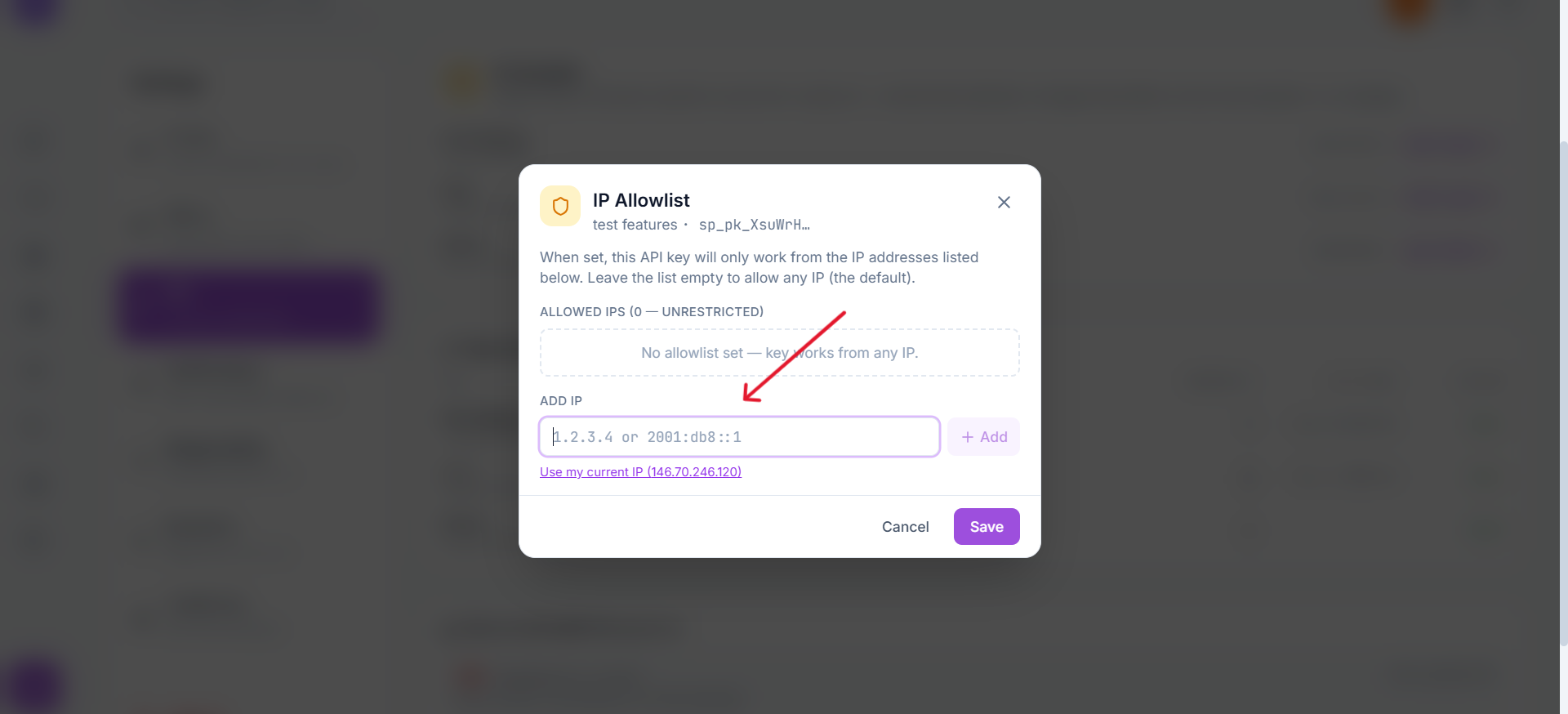
For the keys that power your backend, you can lock them down to specific IP addresses. After creating the key, open the Security tab, choose Manage IPs, and add up to 50 addresses. Any request from an address that is not on the list is rejected with a 403 before it reaches the endpoint.
Addresses are matched exactly, so list each server address rather than a range. Combined with permissions, an allowlist means that a key stolen from a server cannot be used from a laptop or from anywhere outside your fleet.
Rate Limiting (with Headers Your Client Can Use)
Every API key has a budget of 120 requests per minute, the same on every plan. It protects your credit balance from runaway loops and misconfigured retries.
Responses include the headers you would expect:
X-RateLimit-Limitshows your ceilingX-RateLimit-Remainingshows how many requests are left in the current windowX-RateLimit-Resetshows when the window resetsRetry-Afterappears on 429 responses so your client knows how long to back off
If you hit the limit, the response is a 429. Wait the indicated number of seconds and retry. A general limit of 100 requests per minute from one IP address to one endpoint also applies to the whole site, including the API.
Idempotency for Safe Retries
Network calls fail. Functions get retried. Cron jobs run twice. Without idempotency, every retry of a chat request does the AI work again and uses credits again.
Send an Idempotency-Key header on any POST request, and the first successful response is stored for 24 hours for that API key. A later request with the same header replays the stored response instead of running again, and carries an Idempotent-Replayed: true header so your code can tell the difference. Errors are not stored, so a failed first call does not stop you from retrying. Use a unique value of 8 to 128 characters per logical operation; a UUID works well.
Analytics for Every Key
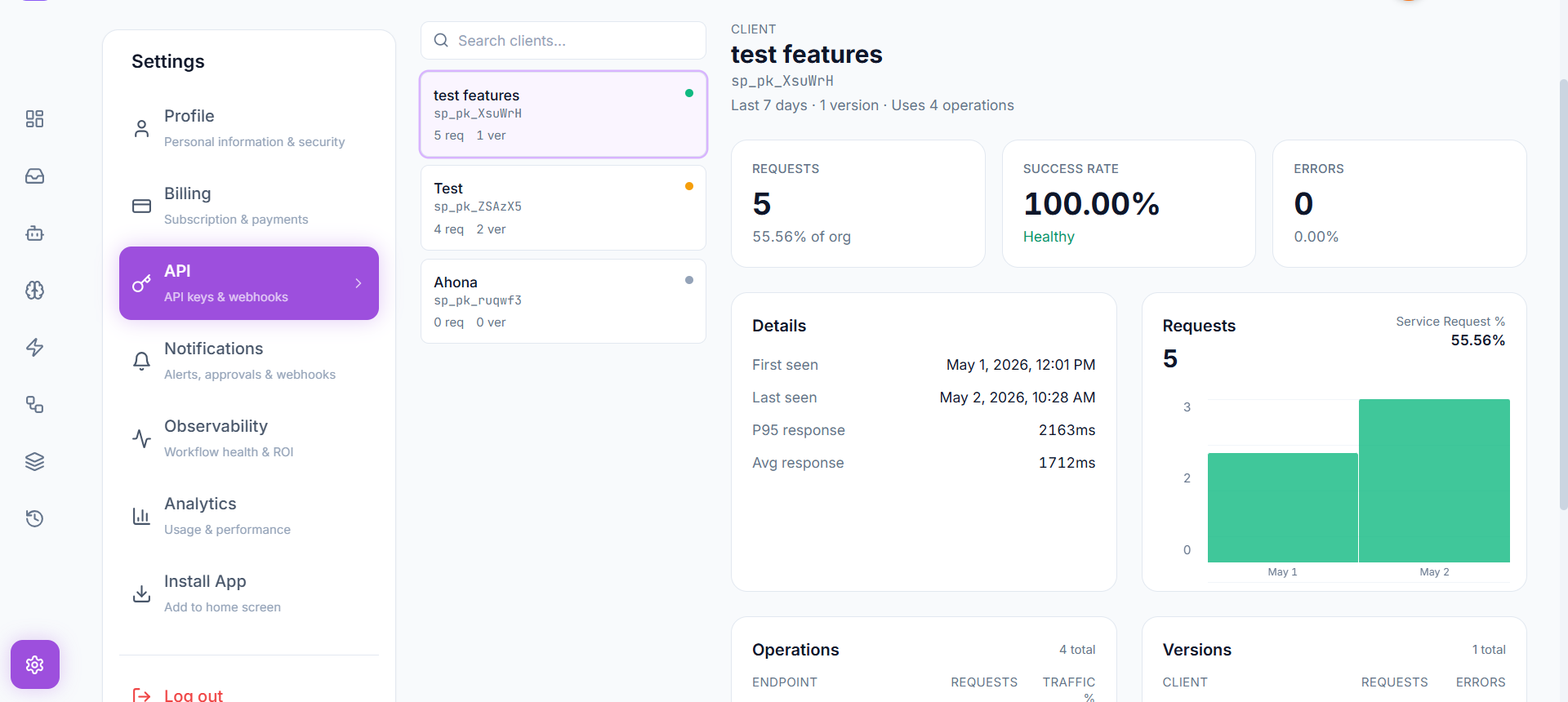
The API tab in Settings has four views:
- Insights. Requests per key, success rate, errors over time, and the most used operations
- Performance. Average and 95th percentile response time over the last seven days, and the slowest endpoints
- Security. The IP allowlist for each key, key activity, and recent requests that were refused for a missing permission
- Config. Your keys, and a playground for trying requests from the browser
How to Get Started
Three steps from zero to your first authenticated request.
Step 1. Create an API Key
In your SweetPilot dashboard go to Settings, then API, then Config. Click "Create Key," name it, and pick the permissions it needs. Copy the key when it is shown.
Step 2. Make Your First Request
Every request needs a Bearer token in the Authorization header
GET https://sweetpilot.com/api/v1/employees
Authorization: Bearer sp_pk_xxxxxxxxxxxxxxxxxxxxxxxxxxxxxxxx
A successful response returns a JSON list of the AI employees, each with the id you use in the chat endpoint.
Step 3. Chat with an Employee
Send a message to an employee by id. Ink is the copywriter:
POST https://sweetpilot.com/api/v1/employees/ink/chat
Authorization: Bearer sp_pk_xxxxxxxxxxxxxxxxxxxxxxxxxxxxxxxx
Content-Type: application/json

{"message": "Write a two sentence product description for a stainless steel water bottle."}
Add ?stream=true to receive the reply as a stream of events instead of a single JSON response. To continue a conversation, send a messages array with the earlier turns instead of a single message.
What You Can Build
A few patterns the API supports today:
- Draft content inside your own tools. Call Ink from your CMS to draft a product description or a blog outline
- Captions on demand. Call Aria from your own admin screen for social post drafts
- Answers from your own knowledge. Call the Brain endpoint from an internal tool so your team can ask questions of the documents you have uploaded
- File questions. Send a CSV to Atlas with a question and get a written summary back
What the API Does Not Do Yet
- It does not read or write your dashboard conversations or tasks
- It does not upload documents to Brain AI
- It does not act in connected accounts such as Gmail or Google Calendar
- It has no test mode and no official SDKs; any HTTP client works
FAQs
Q1 Is API Management included in my plan?
Answer :Yes. API access is included on every SweetPilot plan, from Starter at $9 per month upward. There is no free plan. The plans differ only in the monthly credit allowance.
Q2 Do API requests use credits?
Answer :Yes. A chat request through the API uses credits from the same monthly allowance as the dashboard, based on the length of the request and the reply.
Q3 Can I rotate keys without downtime?
Answer :Yes. Create a new key, swap it into your production config, then delete the old one.
Q4 What happens if I hit my rate limit?
Answer :You get a 429 response with a Retry-After header. Wait the indicated number of seconds and retry. Your client should respect this header automatically.
Q5 Does the API work with every AI employee?
Answer :Yes. Every employee returned by the employees endpoint can be used in the chat endpoint, including Ink, Aria, Atlas, and the rest of the team.
Q6 Does the API remember earlier messages?
Answer :No. Each request is independent. Send the earlier turns in the messages array when you need context.
Conclusion
API Management gives developers a direct line to SweetPilot's AI employees: keys with explicit permissions, IP allowlists, per key rate limits, idempotent retries, and analytics for every key. It is a focused surface today, built around chatting with an employee and asking your Brain AI a question.
Create your first API key today. Head to Settings, then API, in your SweetPilot dashboard, create a key, and make your first authenticated request in under five minutes. See the plans if you do not have an account yet.